Getting shortlisted means your written bid did its job. Now the panel wants to meet the people behind it, test the claims and compare you with the other finalists, often on the same day and against the same scoring sheet.
That changes what the deck is for. This guide covers how a finalist presentation differs from the written proposal and how to build it around the panel's scoring. Then it walks through the slides that work in the room, pricing, rehearsal and the leave-behind. For the general shape of a B2B sales deck, including how a live deck differs from a leave-behind, see our sales deck structure guide. This post covers what changes when a request for proposal (RFP) panel is keeping score.
Written proposal vs proposal presentation
The written proposal is complete. It answers every question in the RFP, in the required format, and each evaluator reads it alone. Its job is compliance and detail.
The presentation has a different job: confidence. By the time you're in the room, the panel has read your bid. They want to know whether the team matches the paper, whether you really understood their problem and how you handle a hard question.
So don't read your proposal back to them on slides. Highlight what moves the score, clear up anything they found unclear, and show what a document can't: the people, the plan and how you think.
| Written proposal | Proposal presentation | |
|---|---|---|
| Job | Prove you comply | Prove you understood and can deliver |
| Read by | Each evaluator, alone | The whole panel, with you |
| Detail | Everything the RFP asks for | The points that move the score |
| Proof | Documents and references | Your people, your answers, examples |
| Price | The full price schedule | Totals and options, easy to compare |
One thing ties the two together: consistency. Every number, name and date on your slides must match the written bid. A panel that spots a different price or a new team member on screen starts doubting everything else.
If the panel sent clarification questions after reading your bid, answer them in the deck, and say that you're doing it. "You asked how we'd move your data during the winter peak" is a strong way to open a section.
Start from how the panel scores
Formal evaluations usually score each finalist against set criteria, often weighted. If the RFP lists its criteria and weights, that list is your outline. If it doesn't, ask the procurement contact how the presentation will be evaluated. It's a normal question, and the answer shapes the whole deck.
Then mirror what you learn:
Same order. Present the criteria in the order the scoring sheet lists them, so evaluators can score as you go.
Same words. If the RFP says "implementation approach", use that phrase in your slide titles, not your own label for it.
Time by weight. Spend your minutes roughly in proportion to the points. A criterion worth 30% shouldn't get three minutes while your company history gets ten.
Signposts. Put the criterion name as a small label at the top of each slide. A panelist looking for evidence on "team and experience" should find it at a glance.
Here is how a fictional bidder, Northlake Analytics, might plan a 60-minute finalist slot for Meridian Water, a utility buying a customer usage analytics platform. The criteria and weights come from the equally fictional RFP:
| Meridian Water criterion | Weight | Slides | Minutes |
|---|---|---|---|
| Understanding of requirements | 25% | 3–4 | 8 |
| Approach and delivery | 30% | 5–6 | 9 |
| Team and experience | 20% | 7 | 6 |
| Price and value | 25% | 8 | 7 |
That's 30 minutes on the criteria, three to open and two to close, which leaves 25 minutes for questions. Questions are where panels test you hardest, so protect that time.
Build the deck from the panel's scoring sheet, not from your capabilities brochure.
A structure that works in the room
For most finalist slots, nine slides carry the main story. Everything else goes into backup slides you open only when a question calls for them.
Title. Their project first, then your name: "Customer usage analytics for Meridian Water", with the date and the presenters.
Agenda. Their criteria, in their order, with the minutes each gets. The panel sees straight away that you built the meeting around their scoring.
What we heard. Their goals and constraints in their words, ideally the two or three things that matter most to them. It's your first chance to show you listened.
Your requirements, our response. The priority requirements mapped to your answer and the proof. More on this slide below.
Approach and proof. How you'll do the work, in a few clear phases, with one example of similar work.
Timeline and risks. The plan against their deadline, and the main risks with how you'll handle each.
Your team. The named people who will do the work, their roles and how much of their time the project gets.
Price and options. Totals that are easy to compare, with your recommendation marked.
Summary and next step. Three reasons to choose you, tied to their top criteria, and what happens in the first weeks if they do.

Notice what's missing: no company history up front, no office map, no logo wall. The panel already has your credentials in the bid. A line on the team slide is enough.
The order is a version of the problem, solution and proof structure behind most persuasive business decks, rearranged to follow a scoring sheet. Our guide to storytelling frameworks for presentations covers that structure and four others. And like any presentation to senior leaders, the deck should still make its case if a panelist reads only the summary slide.
Who presents
Panels want to meet the people who will do the work, not only the sales team. Bring the project lead and one or two specialists, and give each the section that matches their role. If the RFP doesn't say how many people may attend, or whether the meeting is in person or on a video call, ask.
Show you understood their requirements
The quickest way to lose a panel is to answer the question you wish they'd asked. The quickest way to win one is to show that you read their requirements more carefully than anyone else did.
The requirements slide does this in one view. It's a table with four columns:
Their reference. The requirement number from the RFP, so evaluators can match each row to their scoring sheet.
Their requirement, in their words. Quote it or follow their wording closely. A paraphrase invites the question "is that what we asked for?"
Your response. Specific, with numbers and dates. "Alerts within 6 hours" beats "fast alerts".
Proof. Where they can check it: a reference project, a pilot result, a page in your bid or an appendix slide.
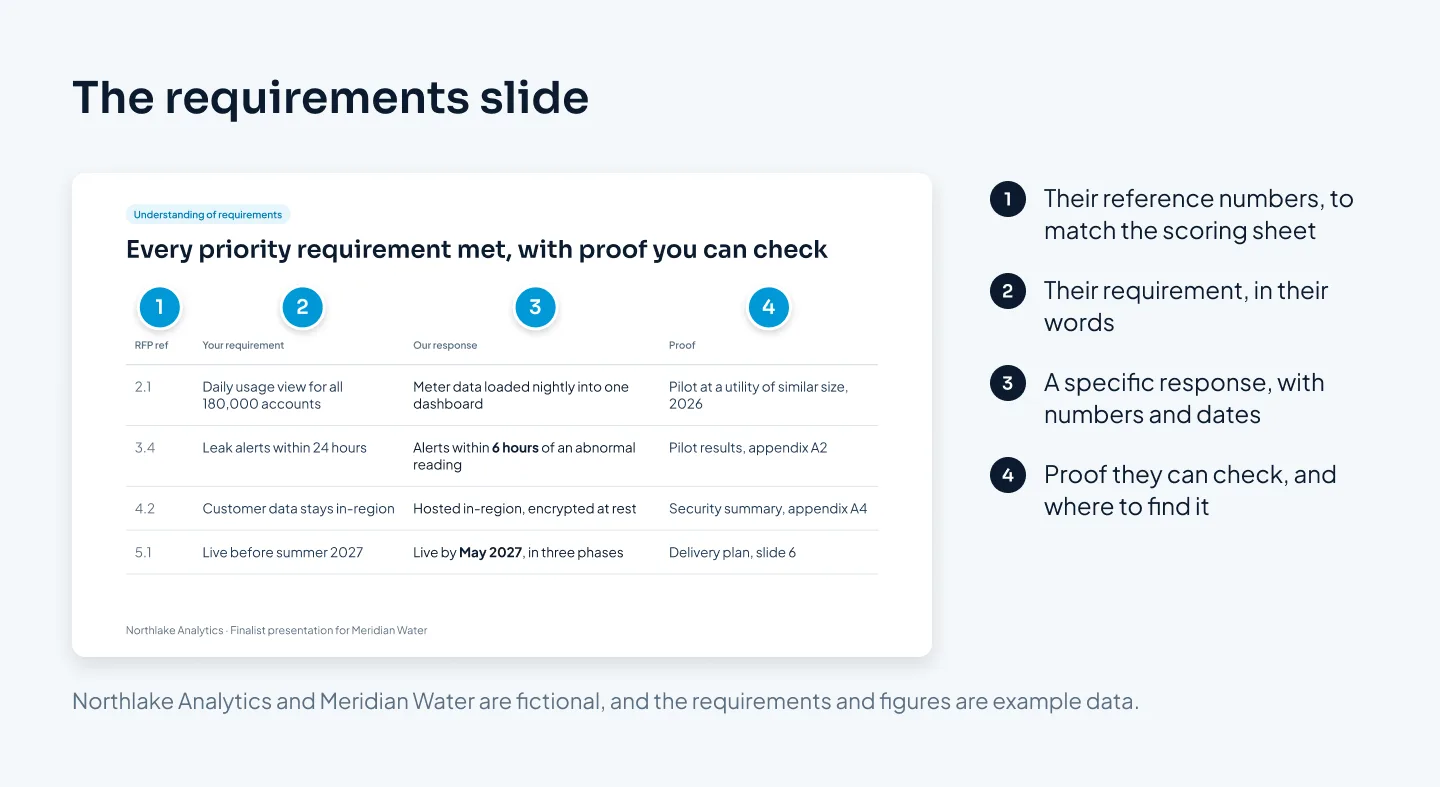
Choose the four to six requirements that carry the most weight or the most doubt, not all of them. Your written bid already covers every line. The slide decides where the panel's attention goes.
Be direct about gaps. If you meet a requirement in a different way from the one the RFP describes, say so and explain how your way serves their goal. Panels notice a skipped requirement, and a clear "here's how we'd handle it" beats silence.
For each technical row, keep a deeper appendix slide ready. When the panel's engineer asks, you jump straight to it instead of promising to follow up.
Approach, team and timeline
These slides answer the panel's real question: can these people deliver this, on time, without surprises?
Approach
Show your method as three to five phases, left to right, each with a name, what happens and what the client has at the end of it. Pitch it at the level the least technical person on the panel can follow, and put the detail in the appendix.
Then add one example of similar work: what the project was, what you did and the result, with the client named only if they've agreed. If a chart helps, give it one point and a title that states it, as in our guide to presenting data in PowerPoint.
Team
Show named people with a photo, their role on this project, one line of relevant experience and their time commitment. The panel is scoring the people who will turn up, so leave off any senior name who won't work on the project.
If the team differs from the one in your written bid, explain why before anyone asks.
Timeline and risks
Draw the timeline against their milestones, not yours. If they need to go live before a busy season, mark that date and show where you land.
Then name the main risks, such as data access, a dependency on their IT team or a holiday period, and how you'll handle each. Naming risks shows experience. A plan with no risks looks like a plan nobody has tested.
Pricing and the decision
Price is usually scored, and someone on the panel, often from procurement, will set your numbers beside every other finalist's. Make that comparison easy.
Follow their price structure. If the RFP asked for setup plus annual fees over three years, show exactly that. A different structure makes your price harder to compare, and hard to compare tends to read as expensive.
Lead with totals. One total per option for the full contract term, with the breakdown underneath.
Base option first. Start with the option that meets the RFP as written. Show anything extra as a clearly labeled addition with its own price.
Mark your recommendation. If another option serves them better, say which and why, in one line.
State what's included. List the main inclusions and exclusions, so nobody suspects a hidden cost.
Match the bid exactly. The numbers on screen must be the ones in your written proposal. Check the RFP rules before showing anything new, because some processes don't allow changes after submission.
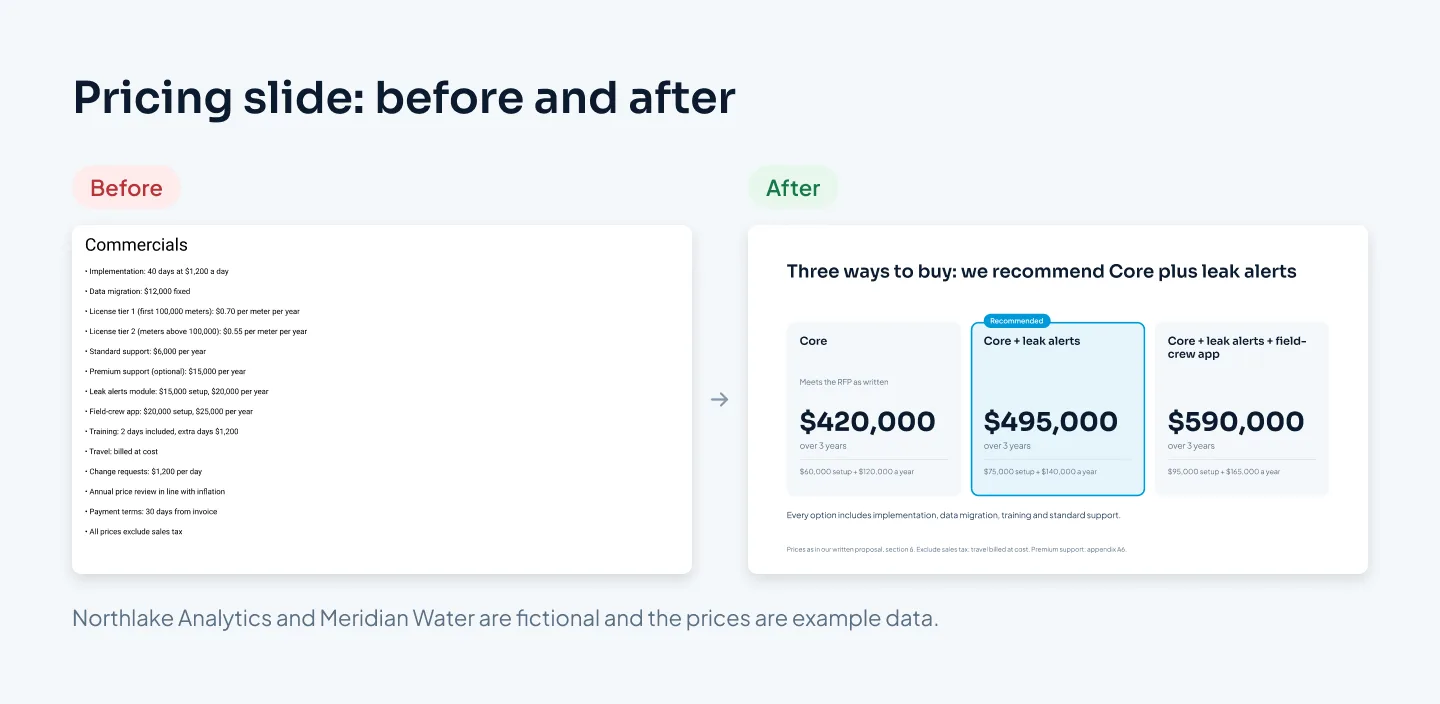
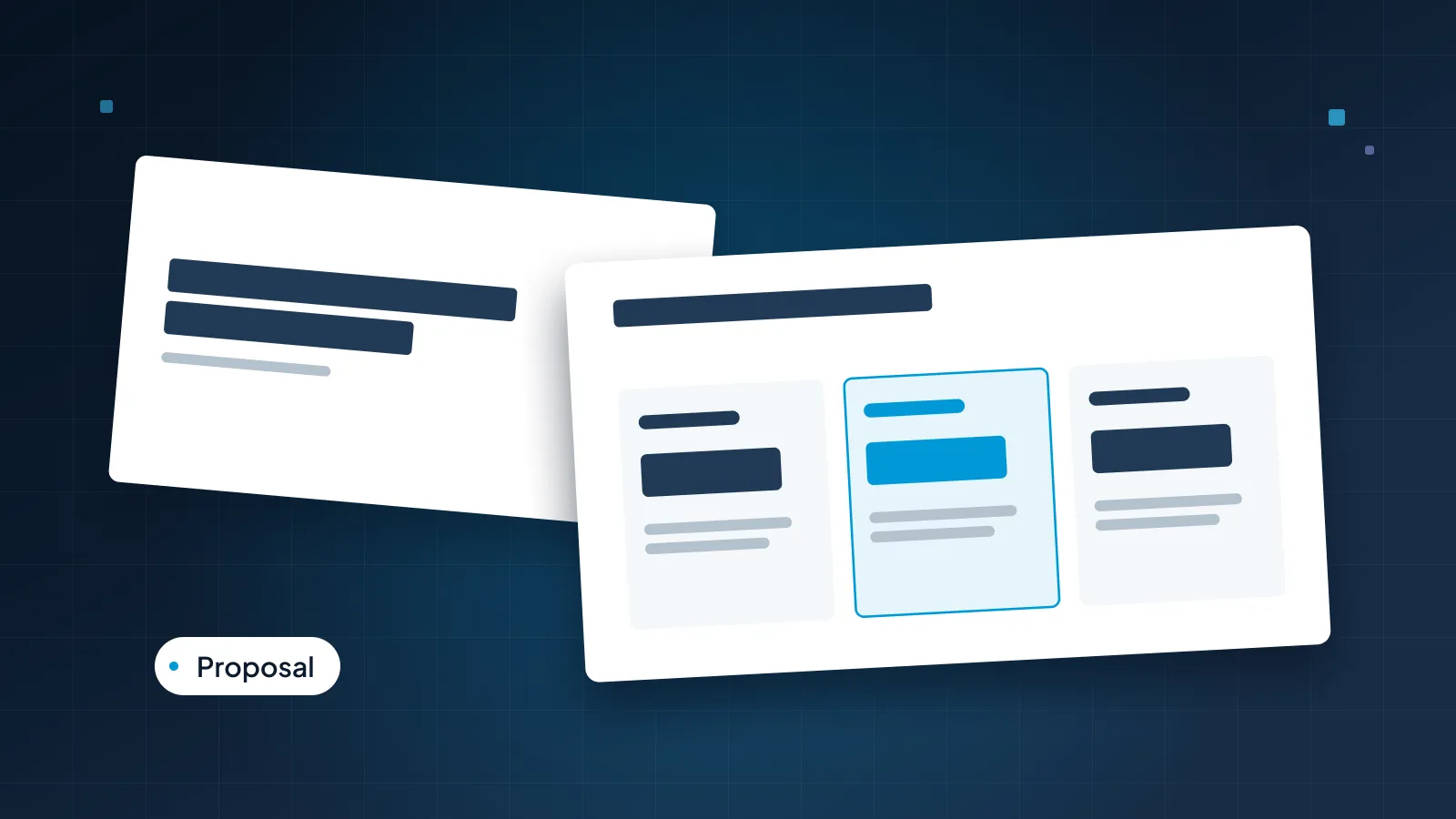
In the fictional example, Northlake prices Core, which meets the RFP as written, at $420,000 over three years: $60,000 setup plus $120,000 a year. The recommended option adds customer leak alerts for $495,000, and a third adds a field-crew app for $590,000. Every card uses the same sum, so procurement can check it in seconds.
Ending with a decision
A panel rarely decides in the room, so don't close with "Any questions?" and don't push for a yes. Close by making the decision easy to make and easy to defend to colleagues.
The summary slide gives three reasons to choose you, each tied to one of their top criteria, plus a short "if you choose us" plan: what happens in the first two weeks, who their contact is and when kickoff could be. Leave it on screen during the final questions. It's the slide you want in their minds when they sit down to score.
If you're handing the deck to a designer, send the RFP, your written bid, the scoring criteria and any clarification questions with your notes. Our guide to briefing a presentation designer lists what else helps. Our sales presentation design service can add proposal, pricing and next-step pages to the deck as modules.
Rehearsal and the leave-behind
Rehearse as a team
Panels watch how a team works together as closely as what it says. Rehearse the whole presentation at least twice, with a timer:
One owner per criterion, so each answer comes from the right expert.
Short, named handovers, such as "Our delivery lead will take you through the plan."
A mock panel. Ask colleagues who haven't seen the bid to play procurement, finance and the technical lead, and to ask the hardest questions they can think of.
Backup slides for every likely question: integration detail, a risk scenario, a reference.
One answer per question. Agree in advance who answers what. Two people answering the same question differently does more damage than a pause.
Then check the setup: their screen, your laptop or a video call. If the meeting is online, our guide to webinar slides covers screen sharing and designing for a small window.
Send a leave-behind
Panels often score after you leave, sometimes days later, with every finalist's material side by side. What they're holding at that moment matters.
If the rules allow it, send a PDF of the deck with full-sentence titles, the criterion labels kept and the detail your voice supplied in the room. The numbers must match your bid and your presentation exactly. Check that the client's name is right on every slide, especially if any slides came from an earlier bid.
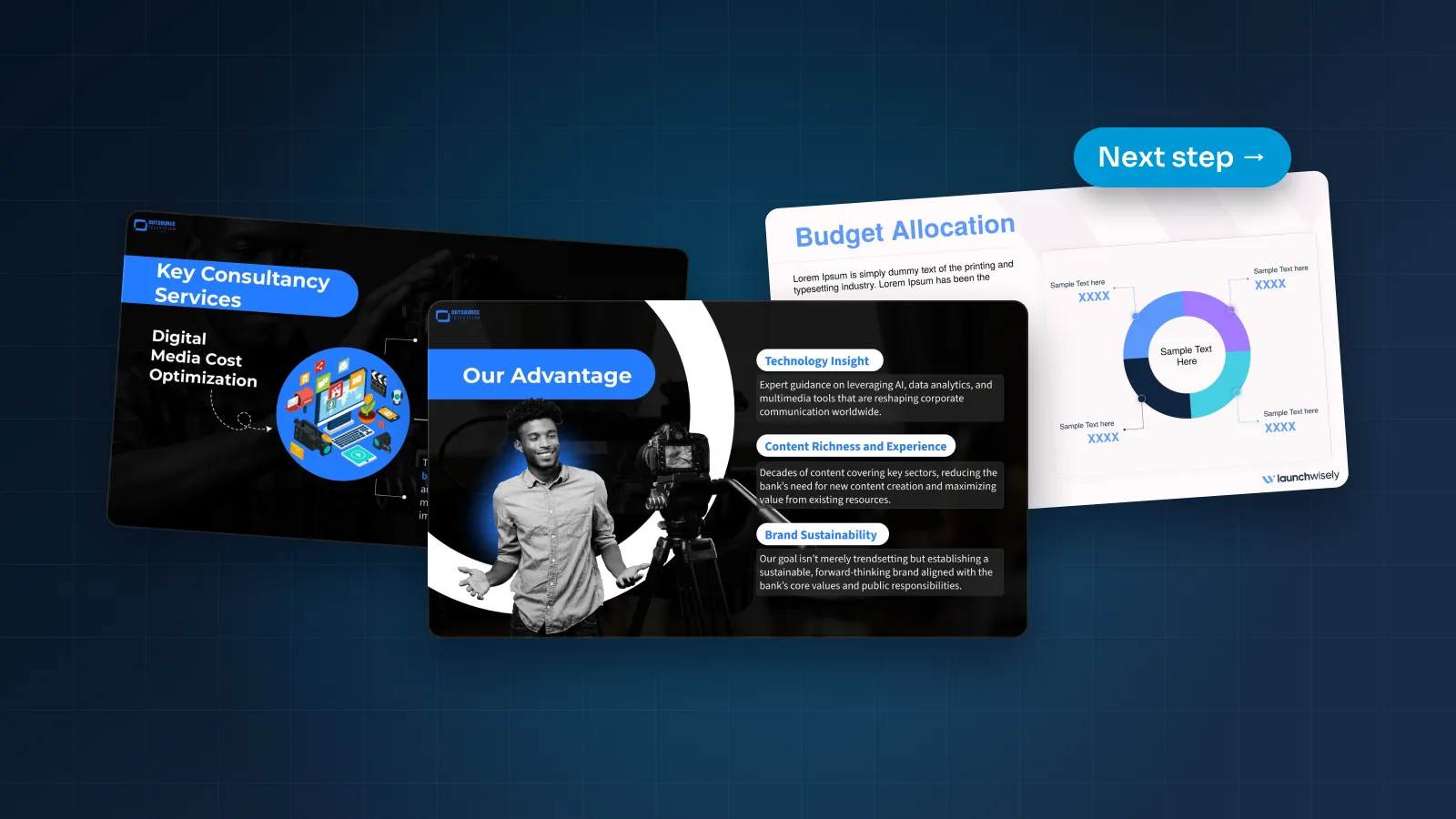
For examples of proposals we've designed, see our Outsource Television proposal, an animated media consultancy proposal with a cinematic broadcast look and Morph motion. The Utatu Opus investment proposal is another: it makes the financial model for a rooftop solar project easy to follow.