Executives don't read decks the way their authors write them. The author builds the story in the order the work happened: background, method, findings, options and, finally, a recommendation on slide 18. The executive wants slide 18 first.
This guide covers how to present to executives: what they look for, how to lead with the answer, how to write action titles that carry the storyline, how to design the decision slide, which data leaders trust and what to do with all the detail you worked hard on. The example throughout is Meridian Water, a fictional utility asking its executive team to fund a leak-reduction program.
What executives want from a deck
Senior leaders see a lot of decks, have little time for each and carry the trade-offs between them. When you present, they're listening for four things:
The answer. Your recommendation or your status, in one sentence.
Why they should believe it. The few facts that hold the answer up.
What it means for them. Cost, risk, customers, people and timing.
What you need. A decision, a budget, a name, or nothing at all.
Expect to be interrupted, often on the first slide. It isn't rudeness. Questions are how executives test an argument, and they'd rather test it early than sit through 15 slides first. A deck that leads with the answer survives interruptions, because the important part has already been said.
What they don't want is a tour of your process ("first we interviewed 30 stakeholders"), your department's jargon, or a slide they have to decode before they can react to it.
An executive team is not a board. A board oversees the business and approves a few big things; an executive team runs it and decides budgets, priorities and trade-offs every week. If your audience is the board, our board presentation guide covers pre-reads, financials and governance. For the pre-send checks that apply to any corporate deck, see our corporate presentation checklist.
Start with the answer
Reverse the order the work happened in. Put an executive summary slide straight after the title, and plan as if your slot will be cut to five minutes, because sometimes it will be. This is the slide you'd show.
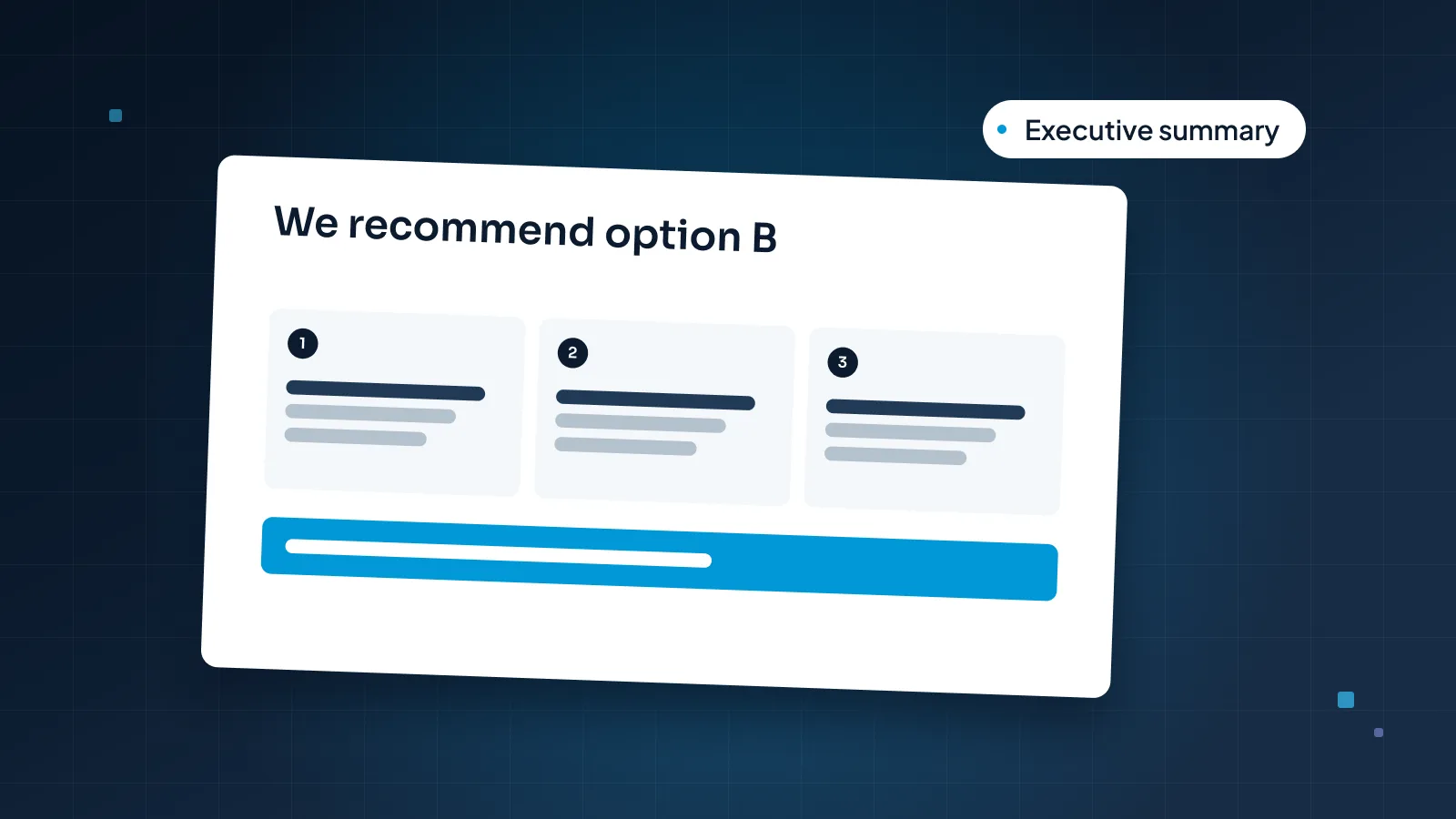
A strong executive summary slide has three parts:
The answer as the title. Your recommendation in one sentence, with the number that matters: "We recommend $2.4M for leak sensors and targeted repairs in the North zone."
Three reasons. Each a full sentence with a fact in it. A fourth reason is usually a detail that belongs on a later slide.
The ask. What you need, how much and by when.
If the room needs context, give it in one line above the reasons, not on a slide of its own. "North zone leakage has risen for three years" is enough to set up everything that follows.

Two situations need a slightly different summary.
A status update with no decision. Lead with the status anyway: "On track for March, one supplier risk to watch, nothing needed from you today." Saying you need nothing is useful. It tells the room it can move on.
When you don't have the answer yet. Say so, and say what would get you there: "We can't recommend an option until the pilot ends in December. Today we need approval to extend it by six weeks." A clear "not yet" lands better than a vague maybe.
Action titles and the storyline
An action title is a slide title written as the slide's point, in a full sentence. "Leakage data" is a label. "North loses 22% of its water to leaks, the highest of our three zones" is an action title.
Action titles do two jobs. Each one tells the executive what to take from the slide before they look at the chart. Read in order, they also tell the whole story. Here is the Meridian Water deck, titles only:
We recommend $2.4M for leak sensors and targeted repairs in the North zone
North loses 22% of its water to leaks, the highest of our three zones
Most of it escapes through small leaks that run unnoticed for months
A six-week sensor pilot found 41 hidden leaks on 12 km of main
Sensors and targeted repairs cut the most leakage per dollar of the three options
Decision: approve $2.4M from the 2027 capital budget
Next steps: contract signed in December, installation from January
An executive who reads only those seven lines knows the recommendation, the reasons, the evidence and what happens next.

A few rules for writing them:
Write the titles first. Draft the storyline as a list of sentences before you build a single slide. If the list doesn't persuade, no design will.
Keep each to two lines at most, ideally under 15 words.
Put a fact in it: a number, a comparison or a direction.
One point per title. If you need "and" to join two ideas, you probably need two slides.
Read them aloud in order. Each title should lead to the next. A jump means a missing slide, or one that belongs in the backup.
The order above, from answer to next steps, suits most executive decks. For other ways to structure an argument, our guide to storytelling in presentations compares five frameworks, including situation, complication and resolution.
The decision slide
Every decision you bring deserves its own slide. Not a bullet in an update, and not only a line on the summary.
A decision slide lays out the question, two to four real options measured on the same criteria, your recommendation and the ask. Our guide to board decision slides walks through that anatomy for a board. With an executive team, three things matter more.
Executives change the options. A board usually approves or rejects. An executive team will often say "do B now and revisit A later," or "B, but only in two districts." So show each option in clear building blocks (cost, effect, timing, main risk) that people can recombine in the room.
Every option shows its downside, including yours. If the recommended option has no weakness on the slide, the room will go looking for it. Name it first. For Meridian, replacing the mains would eventually take leakage to 15%, one point lower than the recommended option. Saying so builds more trust than leaving it out.
The options are real. Two weak options next to the one you want is easy to spot, and it makes people doubt the rest of the deck. Include doing nothing or waiting when it's a genuine choice, and show what it costs.
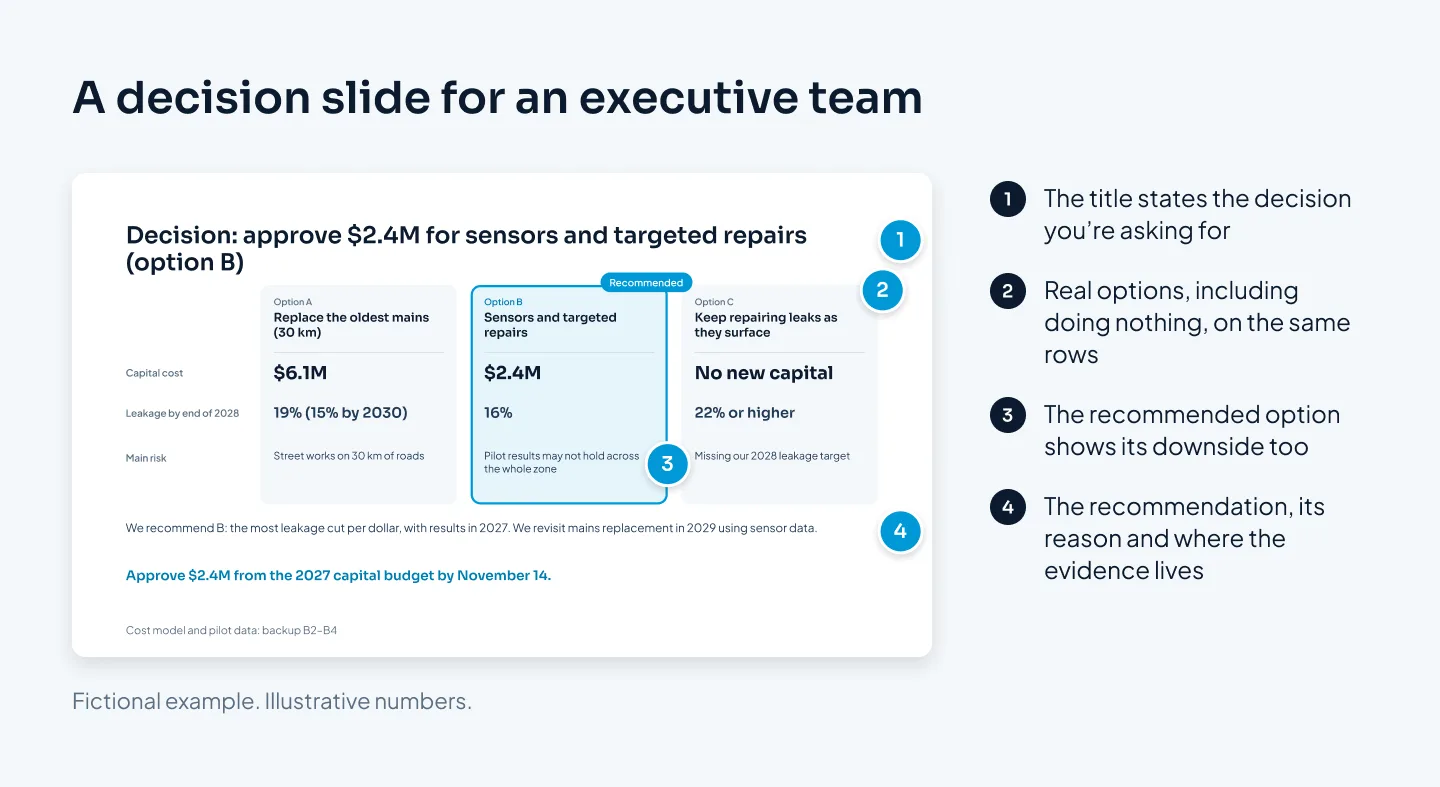
End the slide with the ask in one sentence: what, how much, by when. Then leave it on screen while the room discusses. It keeps the conversation on the choice instead of drifting back into the data.
Data leaders trust
Executives make decisions on numbers they didn't produce. They trust those numbers when they can see where each one came from and nothing looks arranged to flatter.
Source and date on every number. A small line under each chart: "Source: Meridian flow meters, January–September 2026."
Use the numbers they already know. If finance reports leakage one way, use that figure. If yours differs, explain why on the slide, before someone asks.
Give every number a comparison. Against target, last year or the other zones. "22%" means little until it sits next to "14% across Meridian."
Show the assumptions behind forecasts. "16% by end of 2028, if repairs happen within ten days of a leak being found" is more believable than "16.2%."
Round sensibly. "$2.4M" reads faster than "$2,412,380," and no decision depends on the last digits.
Keep charts honest. Bars start at zero, compared charts share a scale, and the time period isn't cut to hide a bad quarter.
Show the bad news with the plan. A slide that admits a miss, and says what you're doing about it, makes the good slides more believable.
Executives can live with bad news. They stop trusting a deck when a number changes the moment they ask about it.
For chart choice, decluttering and takeaway titles, see our guide to presenting data in PowerPoint. For an example of complex numbers made readable, the Utatu Opus investment proposal is an animated proposal for a rooftop solar project in Uganda that makes a financial model easy to follow.
Backup slides and the appendix
The detail you cut from the main deck isn't wasted. It becomes your backup: slides you don't present but can show the moment someone asks.
Build it from the questions you expect:
List the questions. Write down ten questions the toughest people in the room might ask. Think by role: the finance lead wants the cost model, operations wants the rollout plan, the CEO wants to know what happens if you wait.
Give each question one slide, titled with the answer: "Waiting a year means another year at 22% leakage."
Put them after a clear Backup divider, numbered B1, B2 and so on, and point to them from the main slides: "Cost model: backup B2–B4."
Know how to reach them. During a PowerPoint slide show, you can type a slide number and press Enter to jump straight to it, so keep a list of backup slide numbers in your notes. You can also link a shape or a line of text to another slide in the same deck.
Don't present the backup unless asked. Its value is in the moment someone raises a doubt and you answer it with the right slide in seconds. That moment does more for your credibility than five extra slides would.
Very detailed material, such as a full financial model or raw data, can go in a separate file sent with the pre-read rather than in the deck at all.
Pre-read or presented
Leadership teams differ in how they take in a deck. Some read everything the night before. Some read in silence at the start of the meeting. Some expect you to present with nothing sent ahead. Ask the chair's assistant or chief of staff which applies, and build for it.
If it's a pre-read, the deck has to work without you. Titles stay full sentences, each slide carries enough text to make its point, and every metric that isn't obvious gets a short definition. Send it early enough to be read, and if a number changes after it goes out, say what changed.
If they've read it, don't present it again. Open with the summary slide, ask what questions they have and move to the decision slide. Walking a room through pages they've already read uses up the time you need for the discussion.
If you're presenting cold, cut harder: the summary, four to six slides of evidence, the decision and next steps, with everything else in the backup. Use larger type and fewer words, and keep the detail in your speaker notes.
Whichever it is, prepare the five-minute version: the summary slide and the decision slide alone. If the meeting runs late and your slot shrinks, you can still get your decision.
Our board guide shows how to build a pre-read and a presented version from one master file. Customer-facing reviews follow the same rules, too; our QBR presentation guide applies them to quarterly reviews with customers.
If you'd rather hand the deck to a designer, our corporate presentation design service covers leadership and executive decks, with speaker notes set up for Presenter View if you need them.